IntelliReach Updates
From Simple Emails to Smart Sequences in IntelliReach
Why IntelliReach replaced mix-and-match email variants with step-based sequences, and how to use the new workflow well.
Practical takeaway
Use this article as a checklist before the next campaign launch so the outbound process stays consistent.
Article metadata
Updated: Mar 6, 2026
We redesigned email creation in IntelliReach. Instead of writing several separate subjects and several separate bodies that could later be mixed together, you now build a sequence step by step. Each step is a complete message with a clear role in the conversation.
This makes campaign creation easier to understand, safer to launch, and much closer to how strong outbound teams actually work in practice.
What changed in the composer
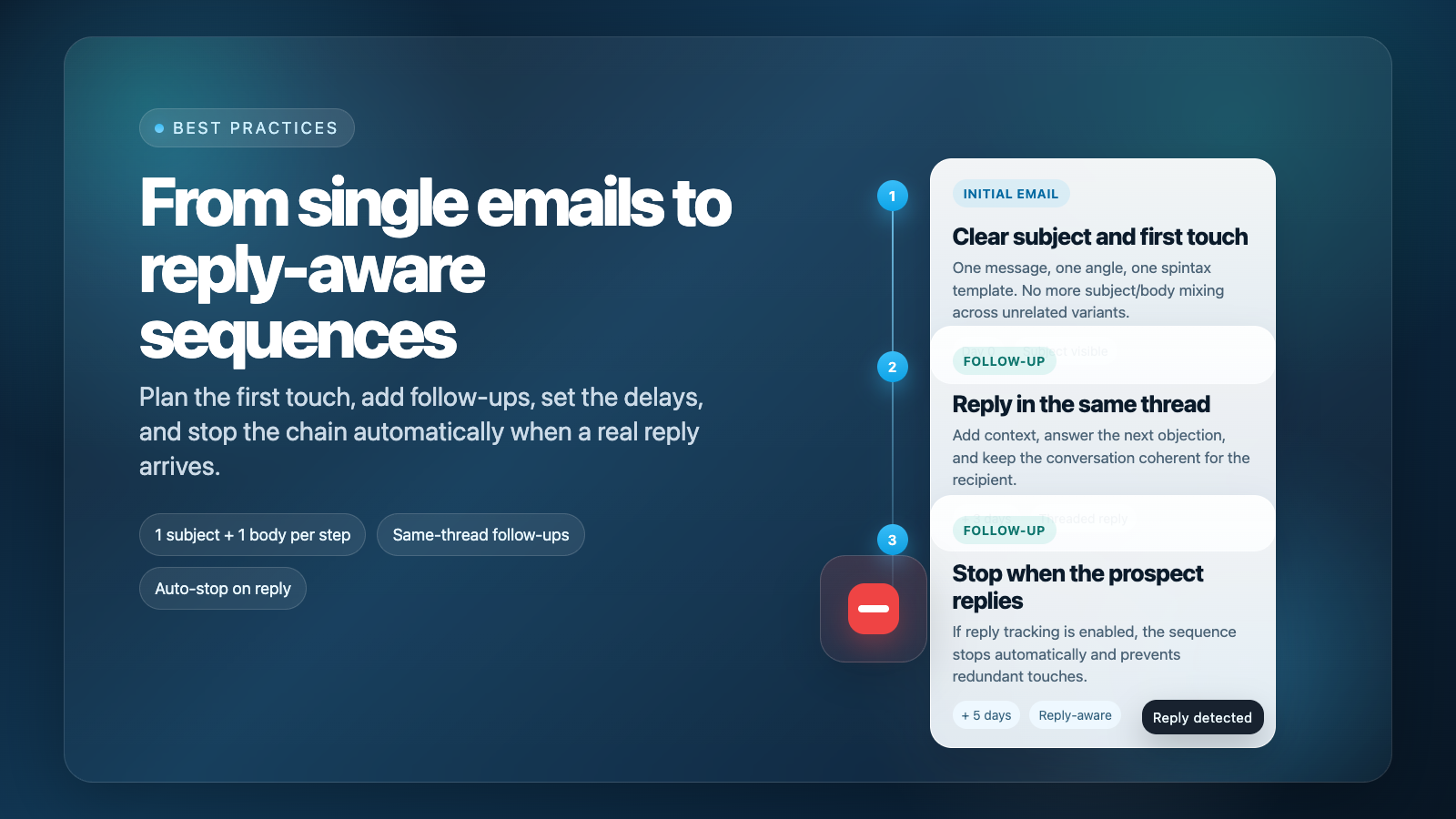
The old workflow was based on separate pools of subjects and bodies. The new workflow is sequence-based: every step is one message, one purpose, and one delay.
Step 1 has its own subject and body.
Step 2 and Step 3 are follow-ups in the same thread, so you only write the body.
Each step supports one spintax template instead of several competing variants.
You decide how many days should pass before the next step is allowed to send.
In other words, the subject is now tied to the text it was written for. That removes accidental combinations and gives you much tighter control over the logic of the campaign.
Why sequences are better than mixed variants
More coherence: the first subject always belongs to the first message, not to a random text variation.
More control: you decide exactly what Step 2 and Step 3 are supposed to do.
Better recipient experience: follow-ups continue the same thread and feel like a conversation, not like unrelated cold emails.
Simpler editing: the campaign is easier to review because you see the chain as a full flow.
Less internal noise: one spintax template per step is easier to maintain than several half-overlapping variants.
Expert Tip: Strong sequences do not repeat the same message three times. Each next step should add context, proof, or a new angle.
How to build a sequence in IntelliReach
Write Step 1 as the first touch with a clear subject and a focused body.
Add Step 2 and choose the delay in days after Step 1.
Write the Step 2 body as a continuation of the conversation, not as a brand-new cold email.
If needed, add Step 3 for a final proof point, clarification, or soft close.
Read the whole chain before launch. It should sound like one person talking to another over time.
In the editor, only Step 1 exposes the subject field. Follow-up steps inherit the thread context automatically because they are designed to be sent as replies in the same conversation.
A simple 3-step framework that works well
Step 1: relevance
Use the first email to show why you are reaching out now. Keep it narrow: one pain point, one observation, and one low-friction CTA. The goal is not to explain everything. The goal is to earn a reply.
Step 2: clarification
Use the second email to answer the next silent objection. You can clarify the use case, explain why the message is relevant, or share one concise proof point. This step should make the first email easier to respond to.
Step 3: final nudge
Use the last step as a polite close or a different angle. It can contain a lighter CTA, a cleaner summary, or a short “should I close the loop?” style message. It should not feel aggressive.
How automatic stop on reply works
If reply tracking is enabled for the sender account and the prospect sends a real reply, IntelliReach stops the rest of the sequence automatically. This prevents unnecessary follow-ups after the conversation has already started.
Automatic responses such as out-of-office messages are not treated as a real reply stop signal in this version, so a temporary auto-reply will not shut down the rest of the chain.
How to use spintax without hurting the message
Each step now has one spintax template. That is enough for light variation while keeping the meaning stable.
Spin short phrases, not the whole strategy.
Keep the CTA consistent inside one step.
Do not spin different promises inside the same message.
Always read one expanded version before launch to make sure the email still sounds human.
Mistakes to avoid
Writing three steps that say the same thing in slightly different words.
Changing the goal of the sequence in the middle.
Sending follow-ups that add no new information.
Using too much spintax until the message loses its voice.
Adding more steps simply because you can.
When to use one, two, or three steps
Use one step when the segment is small and high intent. Use two steps for most focused outbound campaigns. Use three steps when the buying cycle is longer and you genuinely have more context worth sending. More steps do not automatically mean more replies. A short, coherent sequence usually beats a long one.
Final recommendation
Build every sequence as a conversation, not as a volume exercise. If each step has a clear job, a natural delay, and a useful follow-up angle, the new IntelliReach sequence composer will give you more control and better campaign discipline than the old mix-and-match model.
Ready to apply this in a live campaign?
Use these patterns inside IntelliReach to launch safer outbound systems, improve reply quality and keep workflows consistent.